A small condo building has the same front-door problem as a large one, with none of the staff. There is no front desk and often no manager on site, and the board is made up of volunteers. The front door key has usually been copied for years, so nobody knows who can still get in. Access control fixes that, and a small building needs far less equipment than most boards expect. This guide covers what a system for 6 to 30 units looks like, the choices to make, and the questions to ask before you collect quotes.
Why Keys Stop Working for a Small Building
A shared key has three weaknesses that get worse every year:
- Nobody can take a key back. Former owners, old tenants, cleaners and contractors may all still have one.
- Rekeying is all or nothing. One lost key means a new key for every unit, every time.
- There is no record. When something goes missing from the lobby or bike room, a key tells you nothing about who came in.
A restricted key system, where keys can’t be copied at a hardware store, solves the first problem and is a good fit for unit doors. Our guide to restricted keyways explains how that works. For the shared doors, most small buildings do better with electronic access.
What a Small System Includes
Most buildings of this size have one to three shared doors: the front entrance, a rear or alley door, and sometimes a garage, bike room or roof deck. A system for those doors has five parts:
- A reader at each door, for fobs, cards, phones or a code.
- An electric lock on the door, such as an electric strike or an electrified latch, with the key still working as a backup.
- A controller that decides who gets in and keeps the record. It can sit in the building or be managed through a cloud service.
- A power supply with a backup battery, so the doors keep working in a short outage.
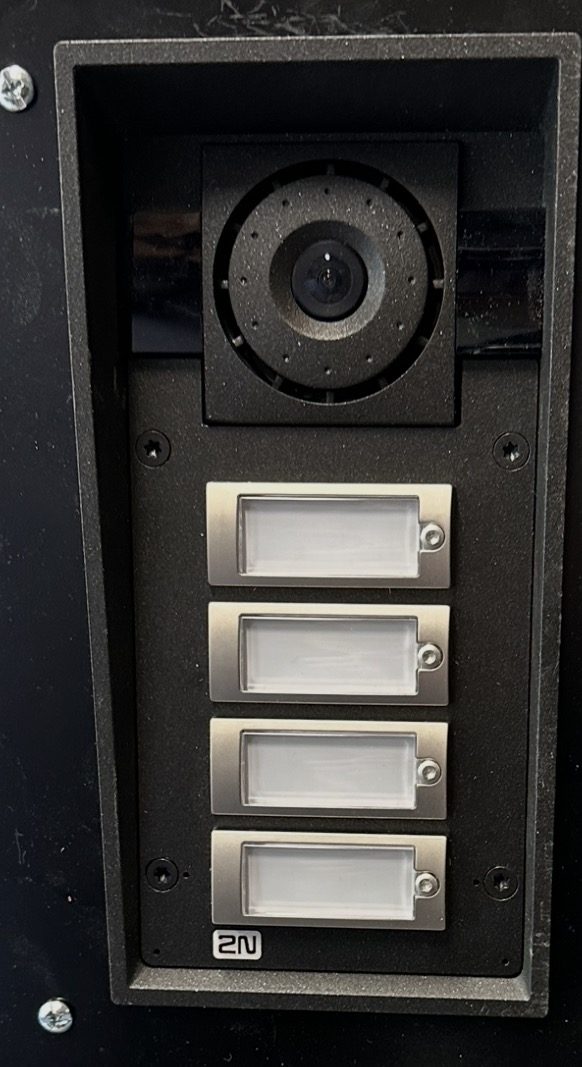
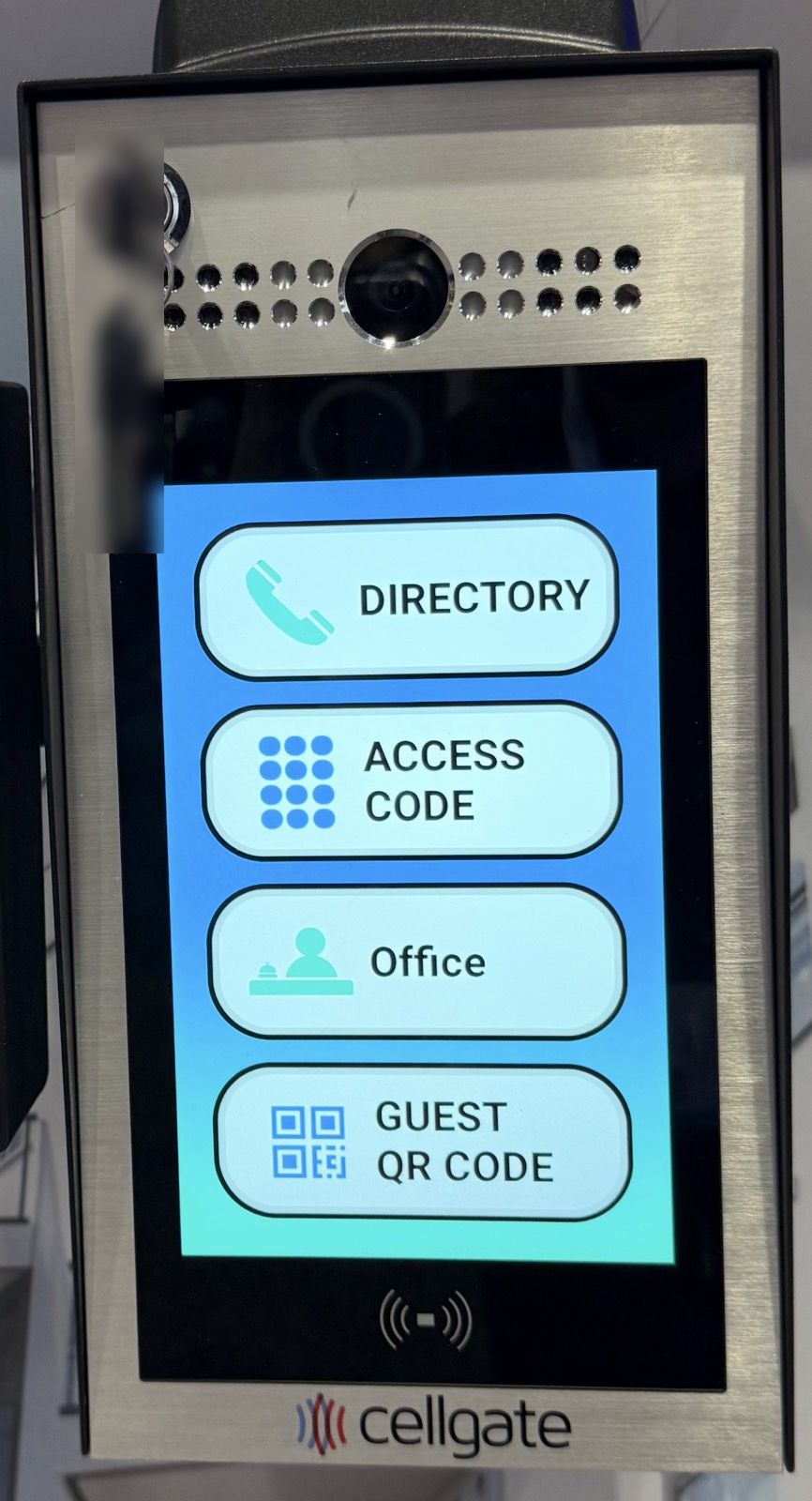
- A visitor entry panel at the front door, so guests and deliveries can reach a resident’s phone.
Fobs, Codes, Phones or a Call Panel?
| Option | How residents get in | Good for | Watch out for |
|---|---|---|---|
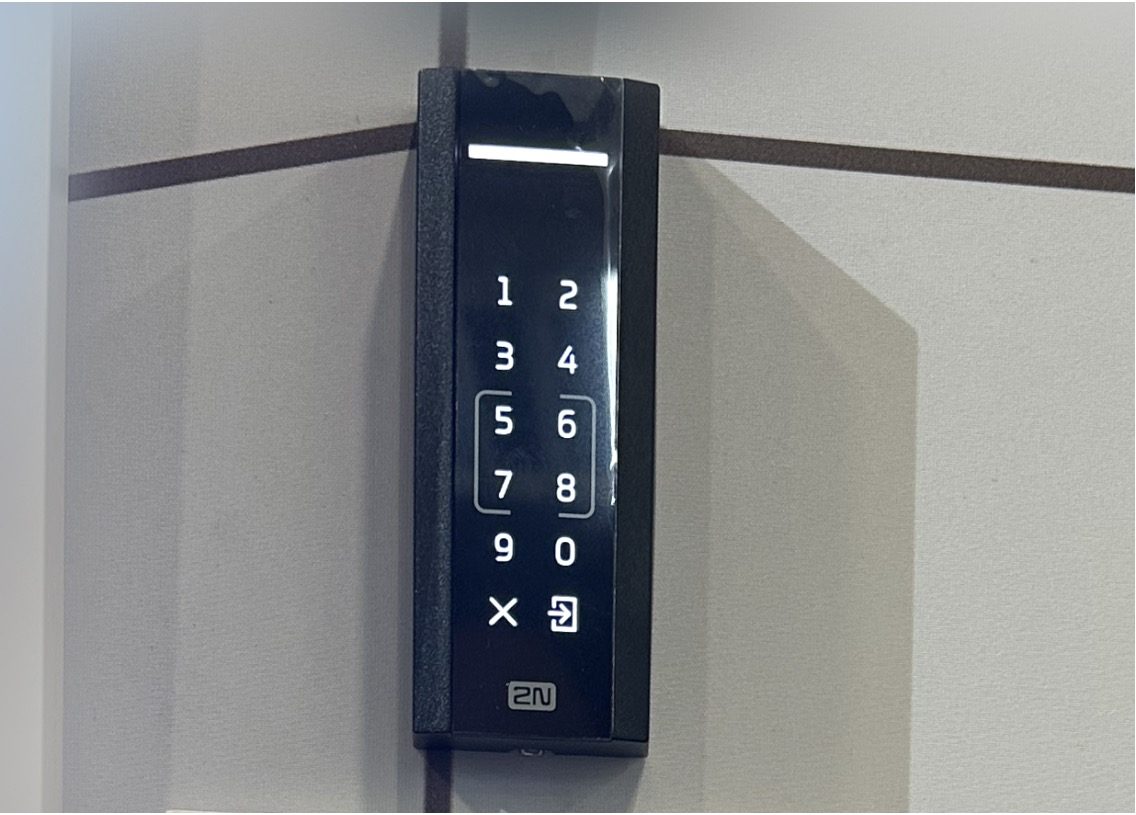
| Keypad code | A shared or personal code | Rear doors, bike rooms, low budgets | Shared codes spread quickly, so plan to change them |
| Fobs and cards | A fob on the key ring | Most small buildings | Someone has to issue and delete fobs |
| Phone credentials | An app or a tap of the phone | Buildings with frequent turnover or short-term guests | Residents without smartphones still need a fob or code |
| Entry panel with directory | Visitors call a resident, who opens the door from a phone | Front doors, deliveries, guests | Needs a network or cellular connection |
Most buildings mix these: fobs or phones for residents, a panel at the front door for visitors, and a keypad on a low-risk door. Residents who don’t want an app are not left out, because a fob and a code work on the same reader.
Cloud or On-Site?
Either works in a small building, and the difference is mostly who looks after it and how it is paid for.
- Cloud-managed. A board member or the management company adds and removes people from a phone or laptop, from anywhere. There is a recurring fee. As published examples, ButterflyMX lists a software fee of $30 to $42 per apartment per year (ButterflyMX pricing), which is $360 to $504 a year for a 12-unit building, and a dealer guide puts Brivo’s Standard plan at $6.20 to $18.50 per reader per month (Safe and Sound Security).
- On-site. The controller and its software stay in the building. There is little or no subscription, but someone has to be on site, or connect in, to make changes, and the board owns the upkeep.
For most small boards, the deciding question is who will delete a fob on the day an owner sells. If the answer is a volunteer with a day job, remote management is worth a lot. Our post on condo building security and cloud vs. on-site costs walks through a ten-year comparison.
The Door Still Has to Work as a Door
Electronic locks do not change the basic rules for an exit. People inside must be able to leave without a key, a fob or a code, and a door that is held shut by a magnet has to release when power is lost or the fire alarm sounds. We look at each door before recommending a lock, because the right hardware depends on the door, the frame and how the building’s fire alarm is set up.
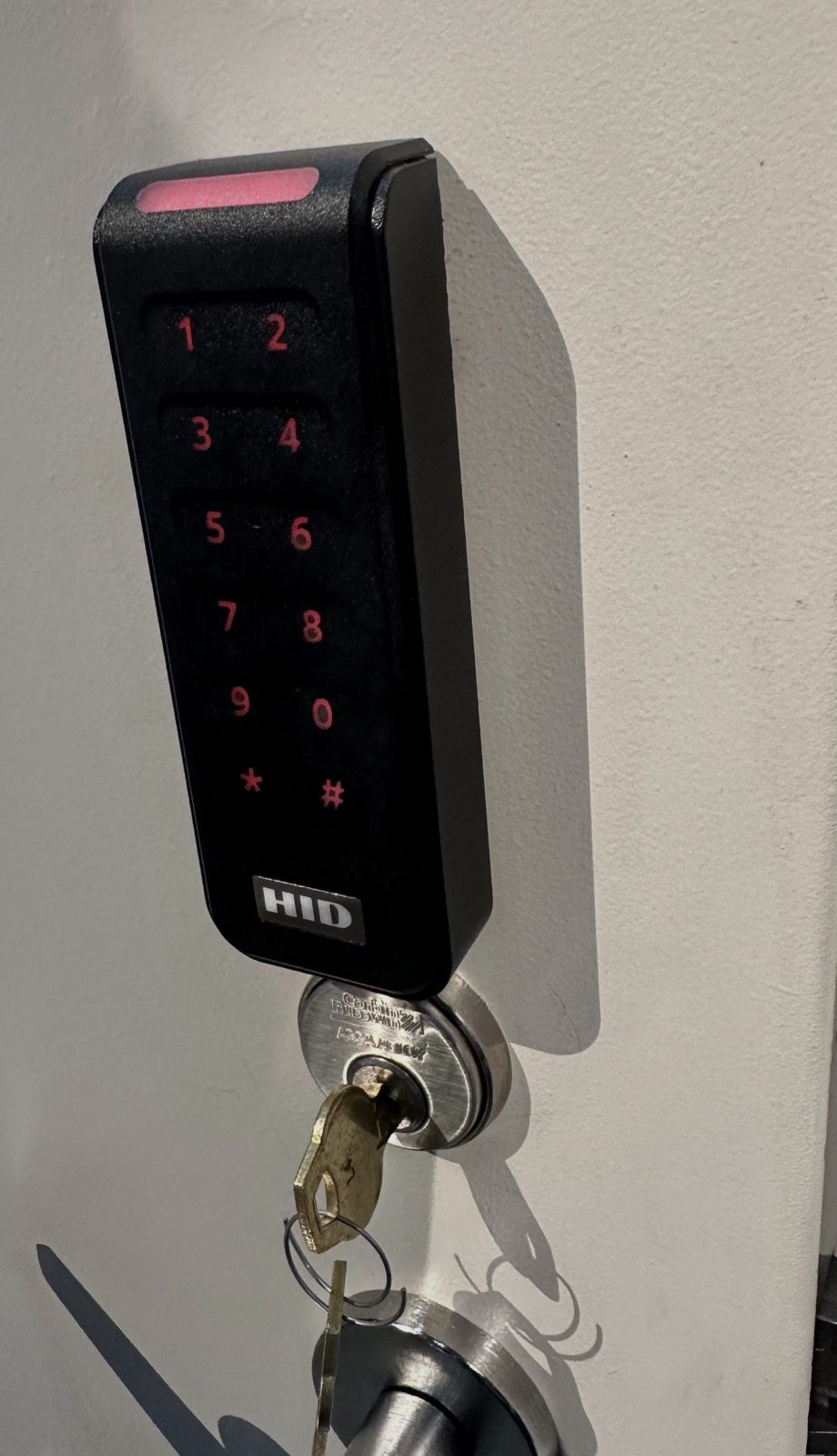
It also has to close. A reader on a door that doesn’t latch is decoration. We check the closer, the hinges and the strike first, and fix those before adding electronics.
If the Building Has an Elevator
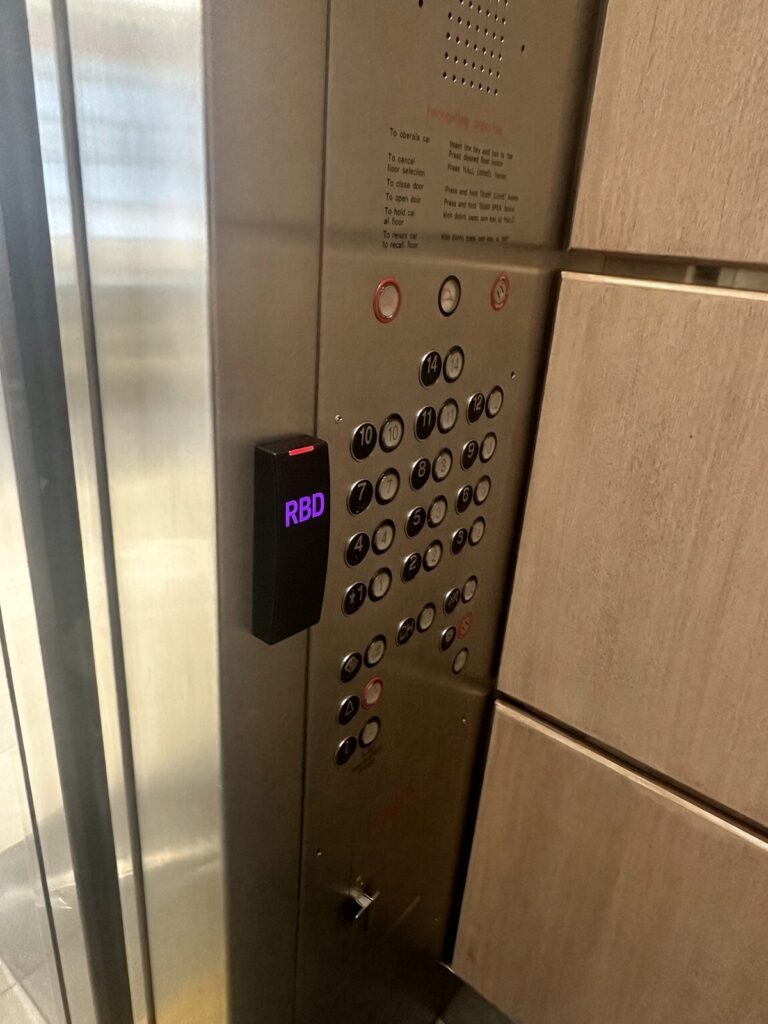
The same fobs and cards can control the elevator. Communities set this up in different ways, and the right one depends on how the building is used:
- By floor. Each resident’s fob enables their own floor, plus shared floors such as the lobby, garage or roof deck.
- All residents, all floors. Any valid fob enables every floor. Neighbors can visit each other, and people without a fob can’t ride up.
- By time of day. The elevator runs freely during the day, for example until 10 p.m., and then needs a fob or card overnight until 6 a.m.
- At the call button. A simpler setup puts the reader on the call button, so the elevator only comes for someone with a fob.
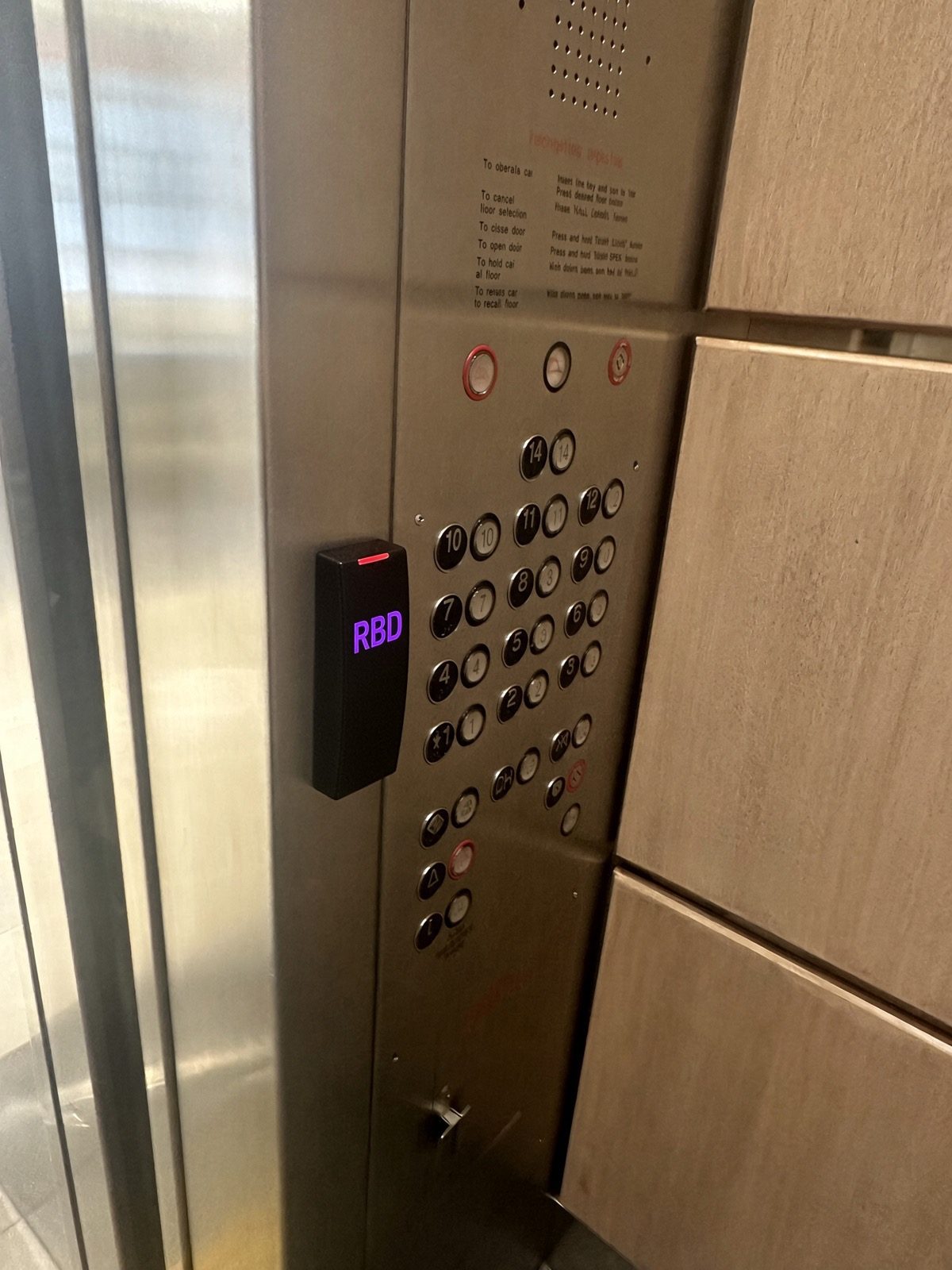
Whichever setup a building chooses, leaving is never restricted. A trip from any floor down to the lobby, and out of the building, always works without a fob.
Running It Day to Day
The equipment is the easy part. A short written routine keeps the system useful:
- One or two administrators, with a backup, so access does not depend on one person.
- A move-out step: delete the fob or phone credential the day a unit changes hands.
- Named credentials: every fob is issued to a person, not to “Unit 4”.
- Time limits for trades: cleaners and contractors get access for set days and hours.
- A plan for deliveries: a call panel, a delivery code that changes, or a package room on its own reader.
Questions to Ask Before You Collect Quotes
- Which doors are included, and does each one close and latch on its own today?
- Who will manage the system, and can they do it remotely?
- What is the yearly cost after installation, and what happens if the subscription lapses?
- Do the doors still open with a key if the system is down?
- How long does the backup battery run the doors?
- Can the existing intercom wiring be reused? Our guide to apartment intercom upgrades covers the options.
- If the entry panel uses a phone line, how will it work as copper lines are retired? See our post on moving telephone entry to cellular or VoIP.
How RBD Security Helps Small Buildings
RBD Security installs and services access control for condo associations and apartment buildings across Washington, DC, and works with DC property management companies. We install cloud-managed and on-site systems, including PDK, DoorKing, Akuvox and CellGate, with HID readers and fobs. We are also locksmiths, so the same visit covers the door hardware, the electric lock and the key override. See our access control service, the products we install and telephone entry systems.
Frequently Asked Questions
How much does access control cost for a small condo building?
It depends on the number of doors and the condition of each one. As a general guide, one dealer source puts a fully installed door at $1,500 to $3,500 (Safe and Sound Security), plus any yearly software fee. We quote after seeing the doors.
Do residents need a smartphone?
No. A fob or a personal code works on the same reader, and visitors can still reach a resident on an ordinary phone from the entry panel.
What happens if the power or internet goes out?
A backup battery keeps the doors working through a short outage, and the key still opens the door. On most systems the readers keep working without internet, though remote changes wait until the connection is back.
Can we start with one door?
Yes. Many small buildings start with the front entrance and add the rear door or garage later. We plan the controller and wiring so the second door is a small job.
Get a Quote for Your Building
Call RBD Security at (202) 709-9466 or request a quote. Tell us how many units and shared doors you have, and send photos of each door if you can.